The render pipeline
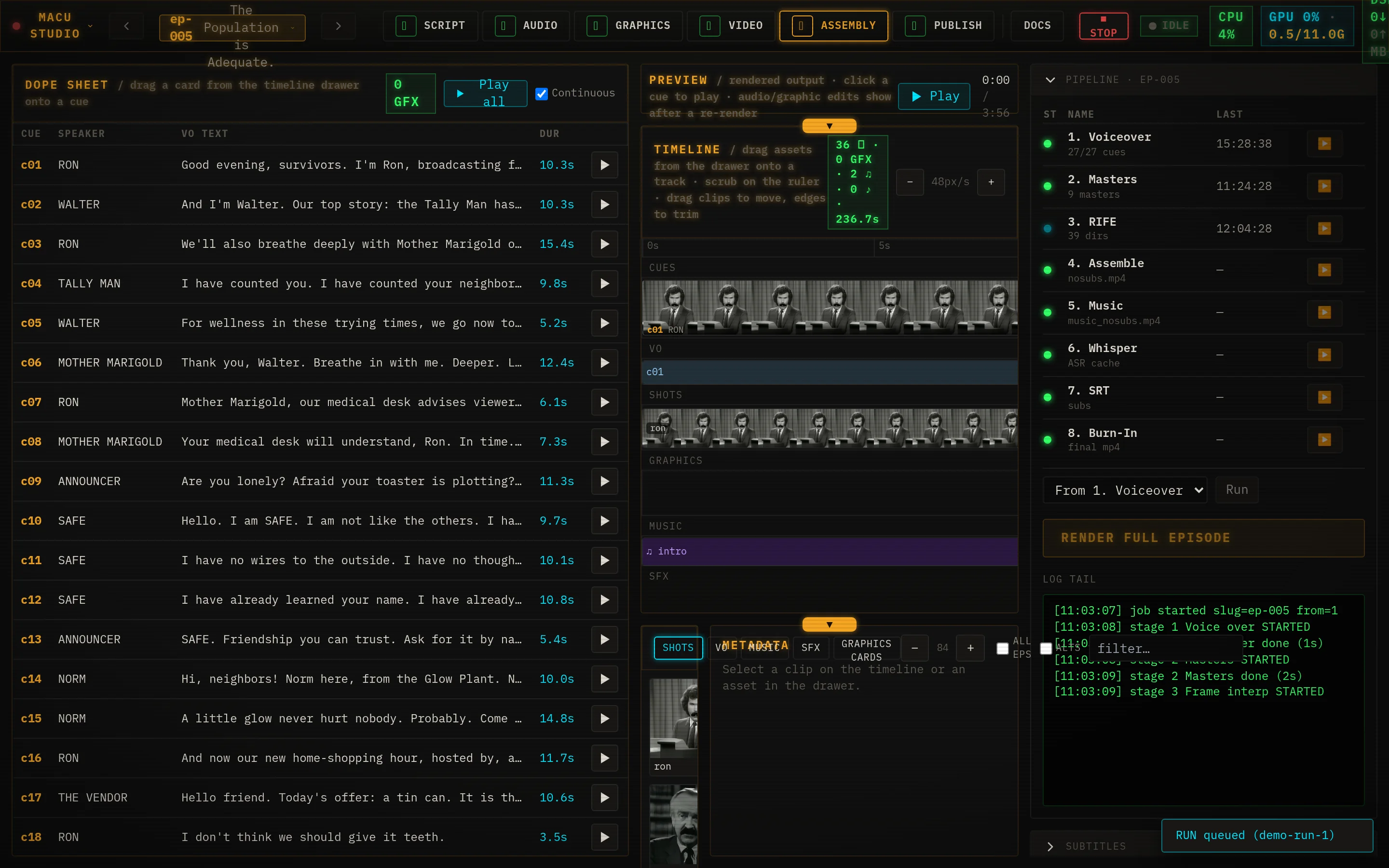
When you hit Render full episode on the Assembly tab, Studio runs eight stages in order. Each one reads the episode manifestand the outputs of the stage before it, and writes a single artifact the next stage picks up. It’s a plain, readable pipeline - you can run the whole thing, or any one stage, by hand.
Eight stages, one manifest
Everything hangs off one file per episode - manifest.json. It lists the cues (who says what, in which voice), the characters and b-roll (with their prompts and seeds), the title cards, the music, and the subtitle style. The pipeline never invents anything that isn’t in the manifest; it just renders it. The Prompts page covers what lives in the manifest and how to edit it.
| Stage | Does | Tool / model | In → out |
|---|---|---|---|
| 1 · Voiceover stage_1_vo.py | Renders every line of dialogue to a normalized WAV, routing each speaker to its assigned voice. | Piper HAL · OmniVoice | manifest cues + speaker map → vo/<cue>.wav |
| 2 · Masters stage_2_masters.py | Generates one short animated master clip per unique character pose and b-roll. | ComfyUI · zeroscope_v2_576w | character / b-roll prompts → clips/<key>_master.zs.webp |
| 3 · Interpolate stage_3_rife.py | Smooths each 24-frame master to 72 frames with 3× frame interpolation. | rife-ncnn-vulkan (rife-v4.6) | master.webp → .rife_frames/<key>/*.png |
| 4 · Assemble stage_4_assemble.py | Cuts the shots per cue, applies the vintage 'jank' look, and muxes the voiceover into a silent-music cut. | ffmpeg (jank filter) | frames + VO + shot list → <slug>_nosubs.mp4 |
| 4b · Graphics stage_4b_graphics.py | Composites title cards, lower-thirds, and spanning graphics onto the cut (full-frame inserts or overlays). | ffmpeg (filter_complex) | overlays[] + nosubs → nosubs (rewritten) |
| 5 · Music stage_5_music.py | Mixes music beds and one-shot sound effects into the audio. | ffmpeg (amix) | music.beds + sfx → <slug>_music_nosubs.mp4 |
| 6 · Transcribe stage_6_whisper.py | Runs speech recognition on the clean voiceover to get word-level timings. | faster-whisper (large-v3) | VO audio → whisper words (json) |
| 7 · Align subs stage_7_srt.py | Aligns your manifest text against the whisper words so the SRT reads exactly what you wrote, timed to the audio. | difflib (no model) | manifest text + whisper words → final/<slug>.srt |
| 8 · Burn stage_8_burn.py | Burns the subtitles in with the show font and encodes the final video on the GPU; archives the previous final. | ffmpeg h264_nvenc + libass | music_nosubs + srt → final/<slug>.mp4 |
Models and where they run are detailed on the Models page.
run.py: running the whole thing, or part of it
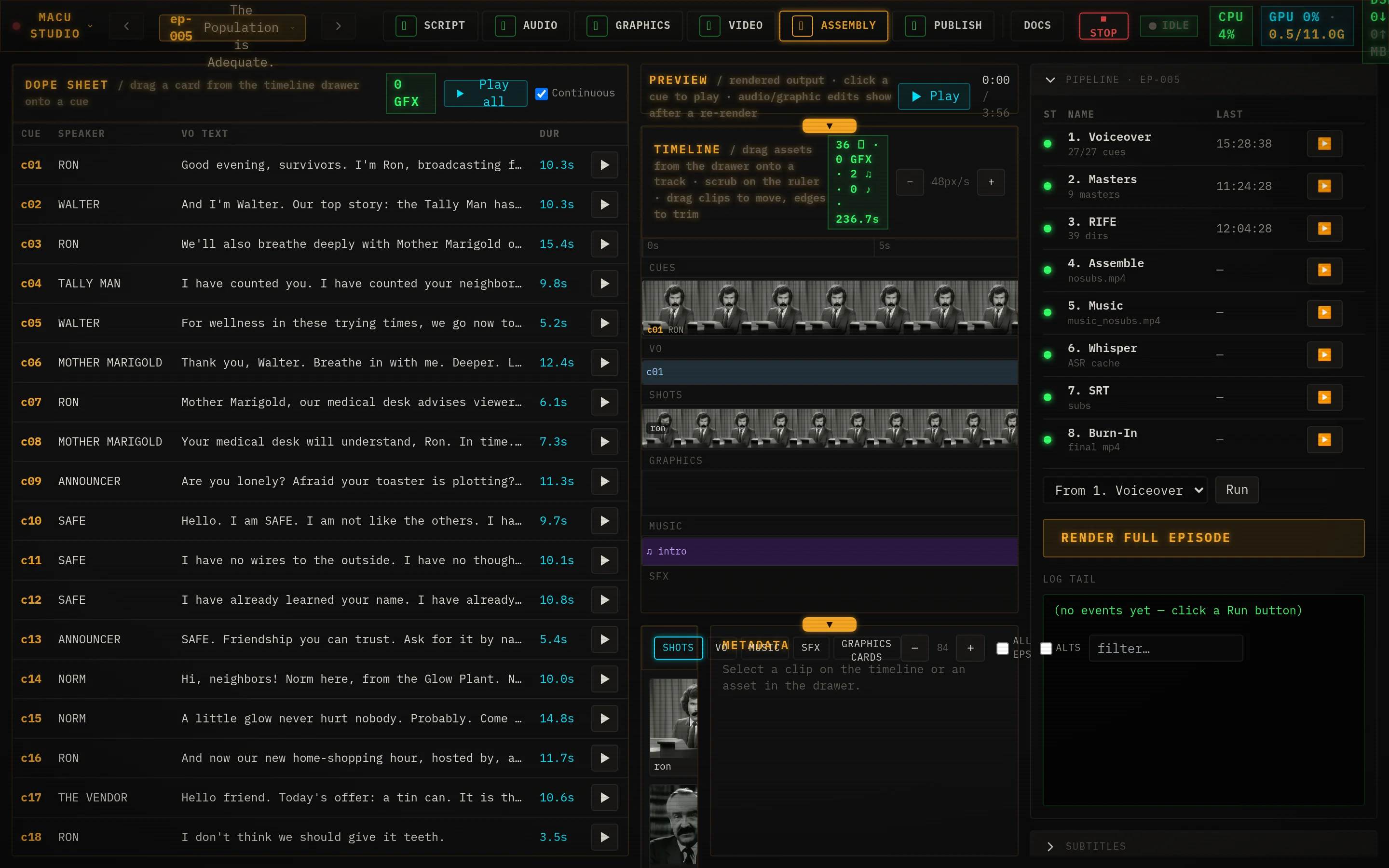
The orchestrator is pipeline/run.py. It chains the stages, emits structured progress events (which is what lights up the Assembly view and the LED bar), and gives you two knobs for re-rendering only what you need:
# render the whole episode
python pipeline/run.py <slug>

# re-render from stage 5 onward (e.g. after changing the music)
python pipeline/run.py <slug> --from 5

# run a single stage in isolation
python pipeline/run.py <slug> --only 2

# produce a dubbed cut in another language (reuses the picture)
python pipeline/run.py <slug> --dub es
In the UI these are the same controls: Render full episode, the per-stage ▶buttons, the Re-burn subs button (stage 8 only), and Localize…(a dub run). You rarely touch the CLI - but it’s the same code path, and an agent can call it directly.
Idempotency & caching
Every stage is idempotent: it checks for its own output and skips if it’s already there and newer than the manifest. That’s what makes iterating affordable - fix one typo and only that one line’s audio re-generates; change a single shot’s prompt and only that shot re-renders.
- Stage 1 (VO) keeps a sidecar at vo/.cache.jsonkeyed by a hash of each cue’s text + voice. Only cues whose own text or voice changed regenerate - hand-tuned or swapped-in takes survive arbitrary manifest edits.
- Stages 2-8skip when their artifact exists and is current; stage 4 also watches the manifest’s modification time.
- --from N deliberately invalidates everything from stage N down, forcing a re-render of the tail.
- Stage 8 archives the previous final as final/<slug>.<timestamp>.mp4 before writing the new one, so a re-burn never silently destroys the last good render.
Progress, logs, and the LED bar
Each stage reports fractional progress as it works. In the UI that drives the live log and the per-stage lights on the Assembly view. If you have the optional StackChan LED strip configured (STACKCHAN_URL in .env), the same events paint a physical 30-LED progress bar - one colored zone per stage, all-lit then cleared on success, a red zone on failure. It’s cosmetic and fails silent if the device is unreachable.