Put an agent in the driver’s seat
This is the most important page in the docs. MACU Studio was designed to be operated by an AI agent, and built with one. Wiring a Claude Code agent into Studio is the single biggest efficiency win available to you - it turns the whole click-through workflow into a conversation, and every config knob in these docs into something the agent can read and operate for you.
Why this is the unlock
Without an agent, making an episode is: write the script, generate the manifest, assign voices, regenerate the three lines that came out wrong, tune a couple of shot prompts, render, fix the two subtitles whisper misheard, publish. None of it is hard - but it’s a lot of small, exacting steps, and every one of them is a button and a wait.
With an agent connected, you say what you want and it does the steps. It can read your script and tighten the cold open, run the prompt filesand the character bible, regenerate a single line slower, edit a shot’s prompt and re-render just that shot, fix the manifest by hand when needed, drive a full render, and publish - all in context, all in plain language:
That works because everything in Studio is plain text and plain HTTP on loopback - the manifest, the prompts, the pipeline CLI, the render endpoints. An agent with a foot in your machine can see and touch all of it. The more of the workflow you hand it, the less of it you do by hand.
Where the agent shows up
There are four ways an agent gets a foot in the door:
- The MCP server - built into Studio itself at /mcp, zero setup. Any MCP-capable agent (Claude Code, Claude Desktop, or anything else that speaks the protocol) connects and gets the whole pipeline as callable tools. Start here - details below.
- The chat tile - a chat box on the Script (and other) tabs. Your message goes to the agent; its reply comes back inline. Each episode is its own resumed conversation, so context carries across a session.
- The writers’ room- a fire-and-forget critique pass: Studio hands the agent your script, the agent runs a writers’-room pass and writes its notes back to disk, and the UI shows them when they’re ready.
- The terminal drawer - a slide-in panel on the right that’s a liveinteractive Claude Code session in your repo. Full tool access; the persistent way to drive everything the other two surfaces don’t.
The MCP server
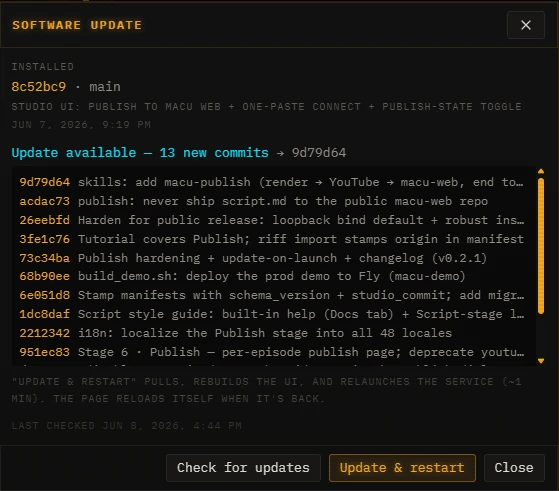
Studio ships with an MCP server built in - Streamable HTTP at http://localhost:8774/mcp, live the moment Studio is running. Nothing to install, no token, no sidecar: the installer and the in-app updater handle its dependency automatically. Twenty-seven tools cover the whole loop - create shows and episodes, read and write the script and manifest, generate shot/SFX/card proposals, kick renders and poll their progress, cast voices, git-sync, and publish to this site.
# Claude Code
claude mcp add --transport http macu-studio http://localhost:8774/mcp

# Claude Desktop (claude_desktop_config.json)
{ "mcpServers": { "macu-studio": {
  "command": "npx",
  "args": ["-y", "mcp-remote@latest", "http://localhost:8774/mcp", "--allow-http"]
} } }
The tools are written to be driven by anymodel, including small ones: the agent’s first call should be studio_overview, which returns what’s in your Studio plus a step-by-step workflow guide (and the script grammar). Every generate_* tool is a dry run by default - nothing is written until the agent passes apply=true - and every error comes back with a hint naming the next thing to try.
Set it up in one command
The agent itself stands up the coupling. Run the setup-macu-channel skill from a Claude Code session in your macu-studio checkout (after the normal install) and it does the whole thing - generates a shared token, installs the two small user services, restarts Studio so it picks up the token, and tests both loops end to end, surfacing each permission prompt for you to approve:
# inside a Claude Code session in your macu-studio checkout
/setup-macu-channel
Under the hood it stands up two pieces, both bound to localhost only:
- The chat bridge on :8802 (deploy/macu-chat-bridge/) - receives the chat-tile / writers’-room messages, hands them to claude -p, and posts the reply back. This is what the chat tile and writers’ room talk to.
- The terminal on :7682 (deploy/macu-ttyd/) - a ttyd server serving a tmux session running an interactive claude. This is the terminal drawer.
Both halves share one secret at ~/.claude/channels/ss-chat-channel/.env (SS_CHAT_WEBHOOK_TOKEN), which Studio reads via its config. If you ever wire it by hand, that’s the only Studio-side config needed - Studio already defaults MACU_CHAT_CHANNEL_URL to http://localhost:8802/. Restart Studio after the token exists so the backend reads it.
How it connects - Claude Code channels
The chat tile and writers’ room are a lightweight, portable claude -p bridge - they work on any machine with the Claude Code CLI and need no special flags. For a richer setup, Claude Code also has channels: a way to push events from an outside system straight into a live Claude Code session (and, for two-way channels, let Claude reply). That’s the path a full always-on rig uses to react to Studio events in-context.
Channels are a research-preview feature ↗ (Claude Code v2.1.80+). A few things worth knowing if you go that route:
- A channel is an MCP server that declares the claude/channel capability and emits notifications/claude/channel events; Claude Code spawns it over stdio.
- During the research preview, custom channels aren’t on the approved allowlist, so you start Claude Code with --dangerously-load-development-channels to load your own.
- On Team / Enterprise plans the channelsEnabled org policy must permit channels, and allowedChannelPlugins can restrict which ones run.
- Gate the sender.An ungated channel is a prompt-injection vector - that’s why the bridge ships with a shared token.
Security - loopback only, never the WAN
The terminal drawer is an unauthenticated interactive Claude session- which is to say, shell access via Claude’s tools. It and the chat bridge both ship bound to 127.0.0.1 on purpose: reachable from the machine running Studio (including from the Windows host of a WSL setup via localhost forwarding), but not from your LAN.
- Never expose :8802 or :7682 on the public internet.
- To reach the drawer from another machine on a network you trust, add auth (ttyd -c user:pass) and rebuild the SPA with the LAN terminal URL - don’t just unbind loopback.
- The MCP endpoint rides on Studio’s own port, so it inherits whatever exposure :8774 has - anyone who can reach Studio can render, rewrite, and publish through /mcp. If you set MACU_STUDIO_HOST=0.0.0.0, you’re trusting everyone on that network with all of it.
- Same rule as the rest of Studio: it has no auth of its own, so anything you expose, you expose to everyone who can reach it.